Feature
Coordinator Control
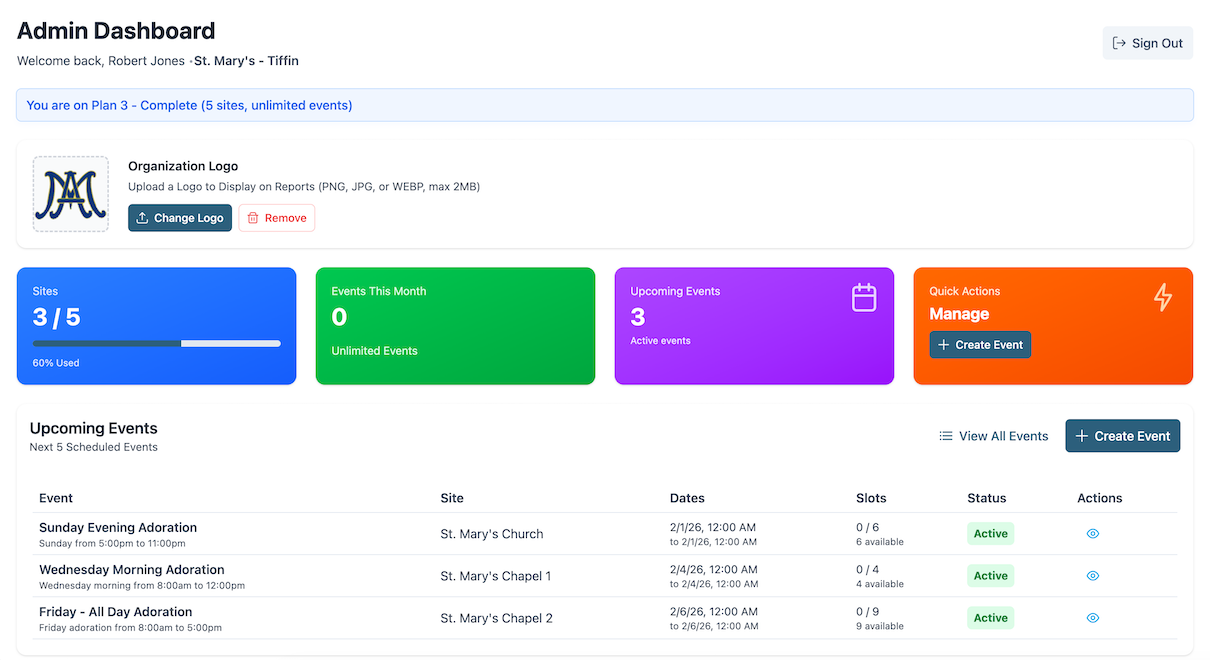
The Admin Dashboard provides a visual overview of your Adoration Events. You can add sites, create events and view volunteers. Admins can easily add or remove volunteers from Adoration events. View single events or drill down to see event details all from a single location.
Create Events
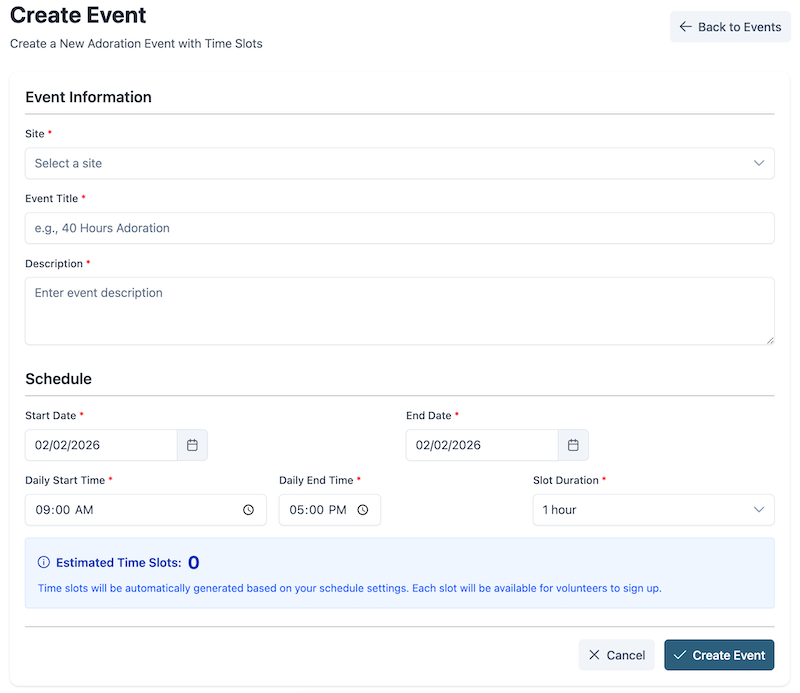
Creating events is as easy as picking your site, adding a title and description. Choose your start and end dates, daily start and end times along with your slot duration. Click "Create Event" and AdorationHub does the rest.
Manage Events
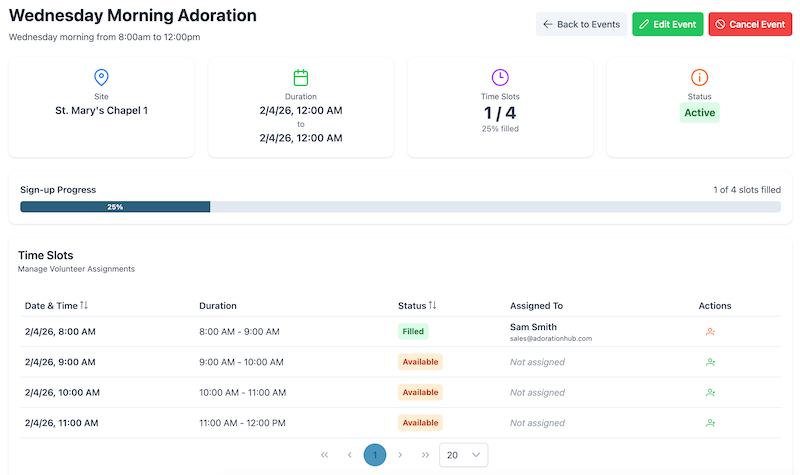
Coordinators have complete control over adoration scheduling from a single, intuitive dashboard. Create, edit, or remove events and time slots with just a few clicks, assign volunteers to specific hours, and manage last-minute substitutions without the usual scramble. Full access to volunteer and event reports—with viewing and printing capabilities—keeps you informed and organized. Everything you need to maintain seamless adoration coverage is at your fingertips.
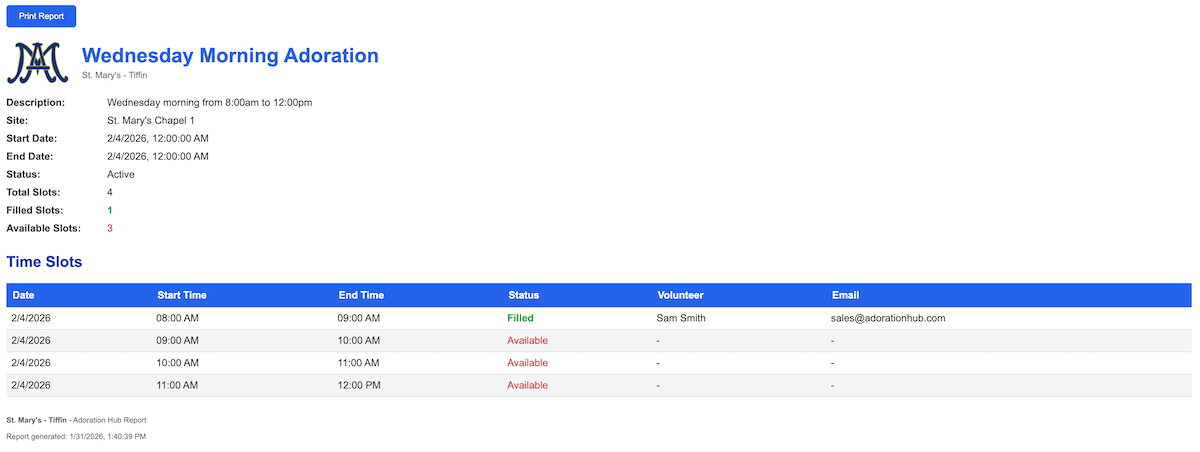
View / Print Reports
Depending on your plan level, reports can be viewed, printed or downloaded in PDF or Excel formats.